


What Is the Best Type of China Touch Screen Device?
Choosing the best Touch Screen Device in China requires more than comparing screen size and price. China’s supply chain offers projected capacitive, infrared, resistive, and ruggedized displays. Each technology suits a different environment. A café counter needs fast, smooth gestures. A factory terminal needs gloves, dust resistance, and stable operation under bright lights.
Market evidence shows why this decision matters. IDC’s China Smart Home Device Quarterly Tracking Report forecast more than 300 million smart home device shipments in 2024. Many of these products depend on touch interfaces. Grand View Research valued the global touchscreen display market at approximately US$76 billion in 2023. Its forecast also indicates continued growth through 2030. Omdia’s display research points toward stronger demand for interactive commercial screens, automotive panels, and industrial controls. These figures suggest opportunity, but they do not identify one universal winner.
The practical answer depends on use conditions. A projected-capacitive Touch Screen Device usually delivers precise multi-touch performance. However, water, thick gloves, or poor calibration can reduce reliability. Resistive panels remain useful for warehouses and medical environments. Infrared screens support larger interactive displays, but dust can affect their sensing grid. Buyers should examine brightness, touch latency, IP rating, operating temperature, optical bonding, warranty terms, and local service capacity. Test the device with wet fingers and work gloves. Test it under direct sunlight, too. I would not pretend that a low purchase price proves value. Supplier audits, sample testing, certification review, and long-term failure data matter more. This article compares the leading China touch screen types through those practical and evidence-based criteria.
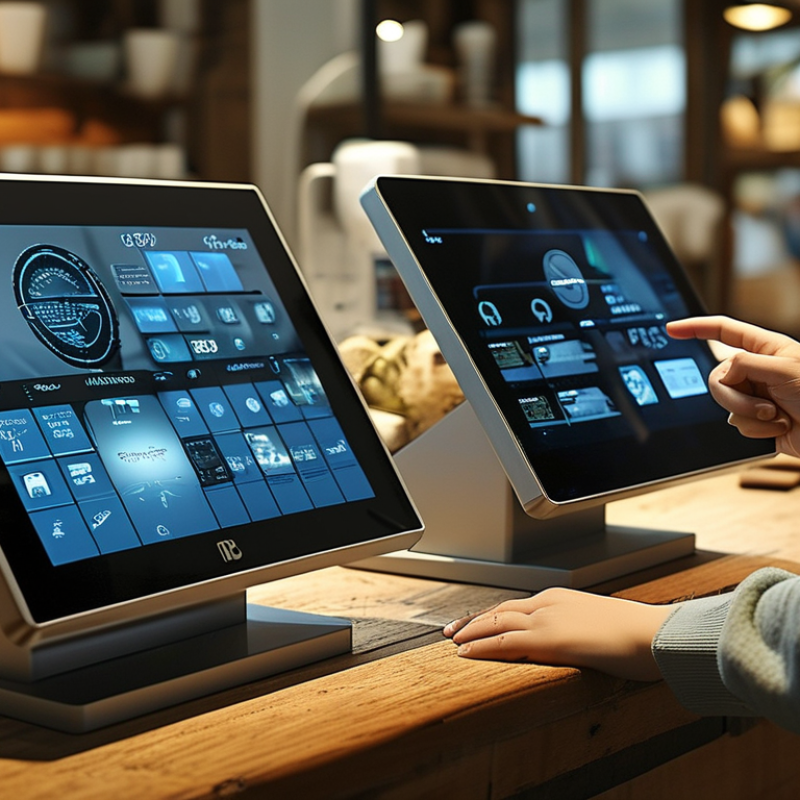
Classify China Touch Devices by Use Case, Size, and 2024 Market Demand
What Is the Best Type of China Touch Screen Device?
Classify China Touch Devices by Use Case, Size, and 2024 Market Demand
The best China touch screen device depends on its job, not its lowest price. For retail counters, 7–15-inch projected-capacitive panels offer quick responses and compact installation. For factories, 10–21-inch rugged HMI devices need sealed housings, glove support, and stable brightness. Larger 55–86-inch interactive displays suit classrooms, meeting rooms, and public information spaces.
Demand also varies by size. Grand View Research valued the global touchscreen market at approximately USD 76.5 billion in 2023. Its 2024 analysis forecasts an 8.8% compound annual growth rate through 2030. Mordor Intelligence also identifies interactive displays as a growing segment in China, supported by education, offices, retail, and smart manufacturing. These figures show opportunity, but they do not guarantee every device will fit every site. The numbers can look cleaner than reality.
Tips: Match screen size to viewing distance. Check brightness, operating temperature, touch accuracy, warranty response, and spare-part access. Ask for a sample unit before placing a large order. Test it with wet fingers, gloves, sunlight, and your actual software. Size changes everything. Not always.
For 2024 purchasing decisions, capacitive screens remain strong for clean indoor environments. Infrared touch technology may be more practical for large displays and frequent group interaction. Resistive panels still have value in controlled industrial systems, despite feeling less modern. In field testing, installation details often matter more than a glossy specification sheet. A reliable device should remain usable after repeated touches, dust exposure, and long operating hours.
| Device Type | Typical Size | Primary Touch Technology | Best-Fit Use Cases | Typical Operating Environment | Common Touch Requirements | 2024 Market Demand | Why It Is Chosen |
|---|---|---|---|---|---|---|---|
| Compact handheld touch device | 5–7 inches | Projected capacitive | Portable terminals, handheld scanners, field-service tools, compact medical instruments | Indoor and mobile use; frequent battery operation | Multi-touch, low power consumption, sunlight readability, impact-resistant cover glass | Very High | Small displays are widely used where portability, quick interaction, and low energy consumption are essential. |
| Embedded industrial control panel | 7–12.1 inches | Projected capacitive or resistive | Factory equipment, building automation, process monitoring, machine interfaces | Industrial areas with dust, vibration, gloves, or occasional moisture | Wide temperature range, long operating life, glove operation, panel mounting, sealed front bezel | High | Industrial automation requires durable human-machine interfaces that can remain in service for many years. |
| Commercial POS and self-service terminal | 10.1–15.6 inches | Projected capacitive | Point-of-sale systems, ticketing, check-in, payment kiosks, queue management | Retail, hospitality, transportation, and public indoor locations | Fast response, easy cleaning, anti-glare surface, high brightness, optional privacy protection | Very High | Self-service adoption and labor-efficiency requirements continue to support demand for mid-sized interactive terminals. |
| Medical touch monitor | 15.6–24 inches | Projected capacitive or infrared | Patient monitoring, diagnostic workstations, nursing stations, laboratory equipment | Hospitals, clinics, laboratories, and controlled clinical environments | Easy disinfection, low-glare display, high image clarity, reliable touch with gloves, safety-compliant enclosure | High | Healthcare equipment increasingly uses touch interfaces, but the design must prioritize cleaning, reliability, and clinical workflow. |
| Industrial HMI workstation | 15.6–21.5 inches | Projected capacitive, resistive, or infrared | Production-line control, warehouse management, energy monitoring, machine visualization | Factories, warehouses, utilities, and other demanding workplaces | Ingress protection, vibration resistance, glove support, bright display, extended product availability | Very High | Industrial digitalization creates sustained demand for larger operator interfaces that replace or supplement physical controls. |
| Interactive education and meeting display | 55–86 inches | Infrared optical touch | Classrooms, training rooms, corporate collaboration, video conferencing | Indoor environments with multiple simultaneous users | Multi-user touch, palm rejection, high viewing angle, low writing latency, built-in speakers or camera support | High | Large interactive displays support collaborative teaching and hybrid work, with infrared technology scaling efficiently to large formats. |
| Digital signage and wayfinding kiosk | 21.5–32 inches | Projected capacitive or infrared | Retail directories, museums, campuses, hotels, public information points | Public indoor spaces with continuous user interaction | High brightness, vandal-resistant glass, anti-fingerprint coating, remote monitoring, landscape or portrait mounting | High | Interactive information points combine advertising, navigation, and self-service functions in one installation. |
| Automotive and transport display | 7–15.6 inches | Projected capacitive | Infotainment, passenger information, fleet management, vehicle control interfaces | Vehicles and transport systems with changing temperature, vibration, and lighting | Optical bonding, anti-reflection treatment, glove-compatible operation, vibration resistance, wide temperature performance | High | Vehicle interfaces are becoming more software-driven, increasing the role of touch displays in cabins and fleet systems. |
| Outdoor self-service terminal | 21.5–32 inches | Projected capacitive, infrared, or resistive | Parking payment, outdoor ordering, public transport, access control | Outdoor or semi-outdoor locations exposed to rain, sunlight, dust, and temperature changes | High brightness, weather sealing, vandal resistance, wet-finger or gloved operation, thermal management | Medium | Demand is growing, but outdoor deployment requires more expensive mechanical, optical, and thermal protection. |
| Large-format collaboration wall | 75–110 inches | Infrared optical touch | Executive collaboration, design review, command centers, higher-education lecture halls | Large indoor rooms with several simultaneous participants | Multi-touch tracking, precise annotation, low parallax, anti-glare glass, network connectivity | Medium | Large-format systems serve specialized collaboration needs and have higher installation costs than standard displays. |
| Glove-and-wet-environment touch panel | 5.7–15.6 inches | Resistive or specialized projected capacitive | Food processing, chemical handling, marine systems, medical procedure equipment | Wet, contaminated, gloved, or hygiene-sensitive environments | Reliable input through gloves, tolerance to water droplets, sealed construction, chemical-resistant surface | Medium | Resistive technology remains useful where reliable single-point input is more important than gesture support. |
| Consumer smart-home control panel | 7–10.1 inches | Projected capacitive | Home automation, security monitoring, climate control, room management | Residential indoor environments | Low standby power, wireless connectivity, responsive interface, attractive enclosure, wall or desktop installation | High | Smart-home systems benefit from an always-available visual interface for controlling connected devices. |
| Data note: The 2024 market-demand ratings are qualitative classifications based on documented deployment patterns, replacement cycles, and application requirements across the global touch-device market. Actual demand varies by region, panel specification, certification requirements, order volume, and project type. | |||||||